
What This Is: A 4-part post-purchase automation system with 18 ready-to-copy email templates across SaaS, e-commerce, and online courses, platform setup guides for the 3 most popular tools, behavior-based triggers, and a metrics dashboard with A/B testing framework.
warningWhy You Need This
Most businesses lose 40%+ of customers within 90 days — not because the product fails, but because customers don't know how to use it. Post-purchase automation solves this by delivering timely, helpful guidance automatically.
One founder reduced churn from 40% to 18% and added $50K/year in retained revenue with a 7-email sequence that took 3 hours to build. This toolkit gives you the exact templates, platform guides, and frameworks to replicate that result.
lightbulbHow to Use This Toolkit
- counter_1
Map Your Customer Journey: Use Part 1 to define the milestones customers need to hit in their first 90 days and identify your churn risk points.
- counter_2
Pick Your Sequence Type: Part 1 (SaaS) or Part 2 (E-Commerce / Course). Copy the templates that match your business model.
- counter_3
Set Up Automation: Part 3 has step-by-step guides for ConvertKit, MailChimp, and ActiveCampaign.
- counter_4
Add Behavior Triggers: Part 4's conditional emails fire based on what customers actually do — set up once, run forever.
- counter_5
Track & Optimize: Part 4's dashboard and A/B framework tell you what's working. Run one test per month.
routePart 1: Journey Mapping & SaaS Email Sequence
Start by mapping your customer's 90-day success milestones and pinpointing churn risk points. Then deploy the 7-email SaaS onboarding sequence — Welcome, Tutorial, Check-In, Feature Highlight, Feedback, Pro Tip, and Upgrade.
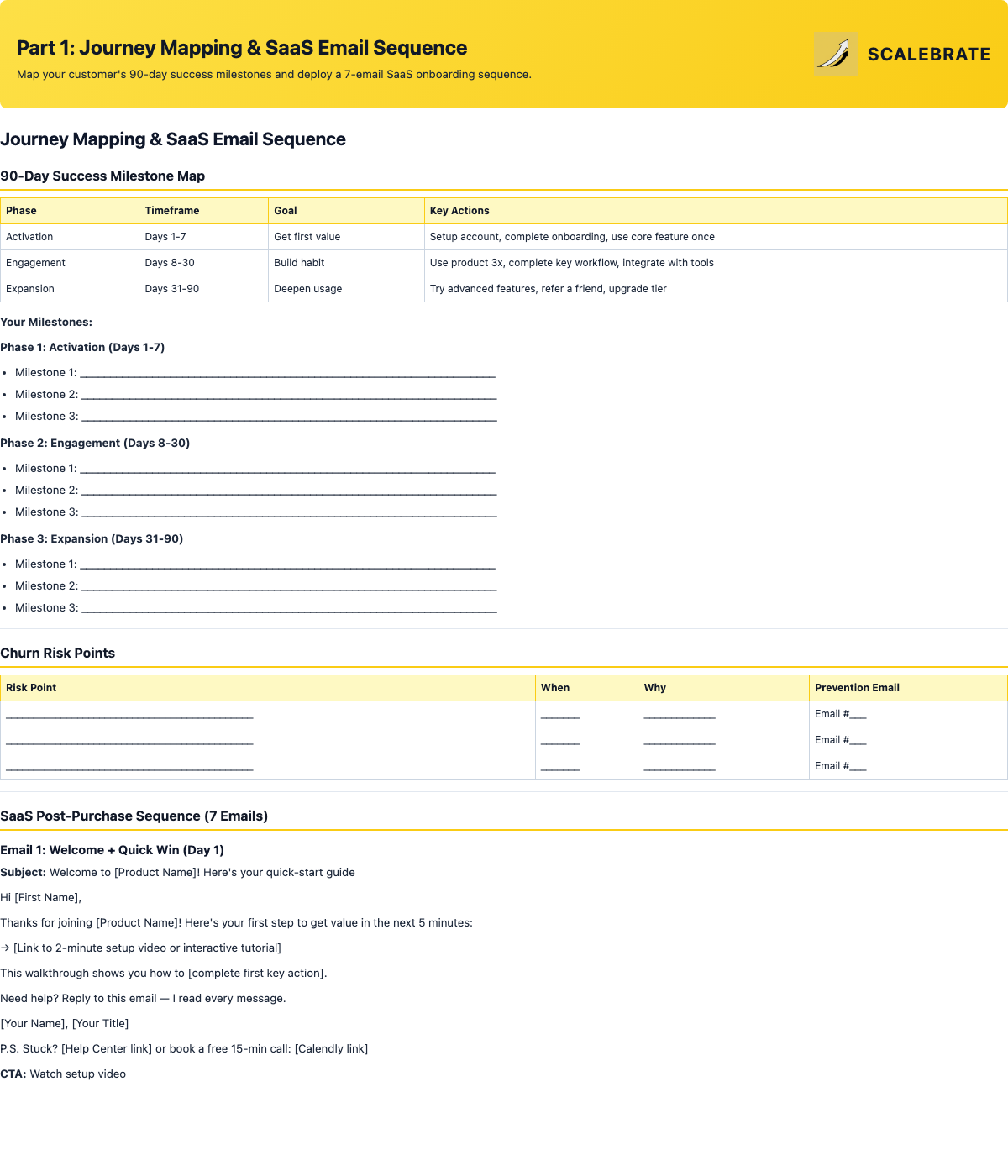
90-day milestone map, churn risk identification table, and 7 ready-to-copy SaaS email templates.
sendPart 2: E-Commerce & Course Email Sequences
A 6-email sequence for physical and digital product sellers (order confirmation through win-back) and a 5-email sequence for course creators (welcome through completion nudge). Copy, customize, and deploy.
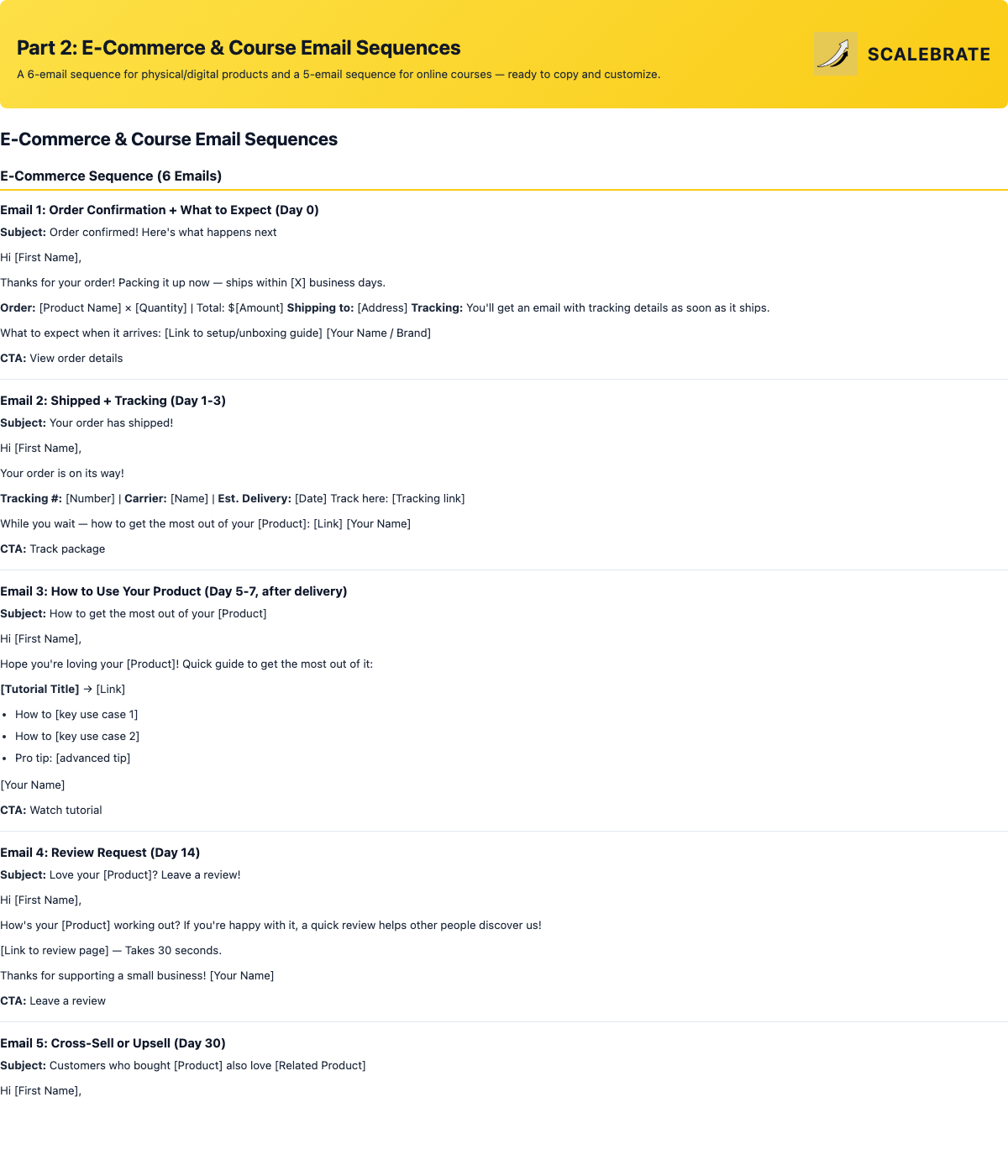
6-email e-commerce sequence and 5-email course sequence — all with subject lines and CTAs.
settingsPart 3: Automation Platform Setup Guides
Step-by-step setup instructions for the 3 most popular email automation platforms: ConvertKit, MailChimp, and ActiveCampaign. Each guide covers creating the sequence, setting triggers, adding conditional logic, and testing. Includes a side-by-side comparison.
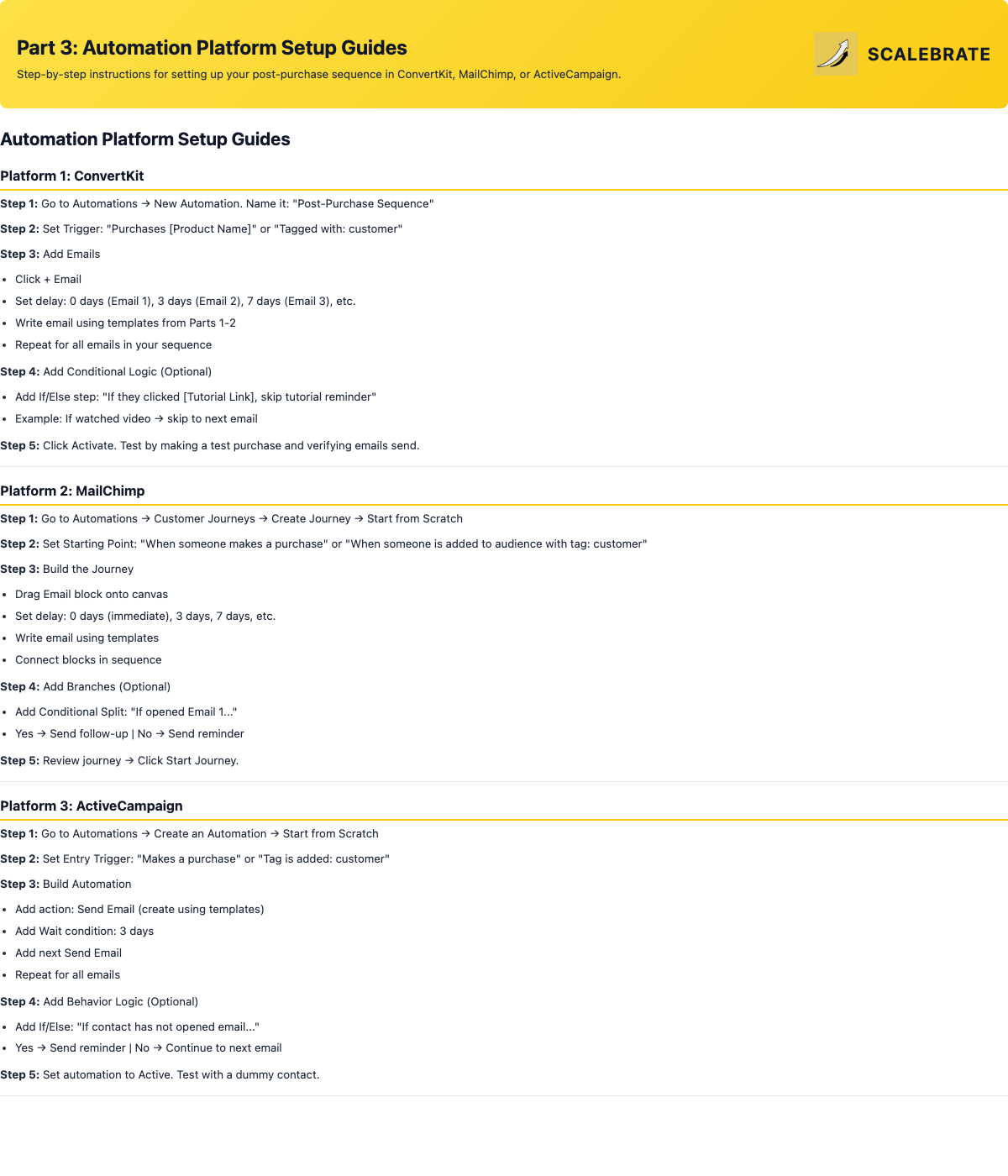
Step-by-step instructions for ConvertKit, MailChimp, and ActiveCampaign with a feature comparison table.
dashboardPart 4: Behavior Triggers & Metrics Dashboard
4 behavior-based emails that fire automatically (inactive user, key action completed, approaching renewal, usage limit hit). Paired with a full performance dashboard tracking churn, open rates, LTV, and upgrade rates — plus an A/B testing framework to optimize monthly.
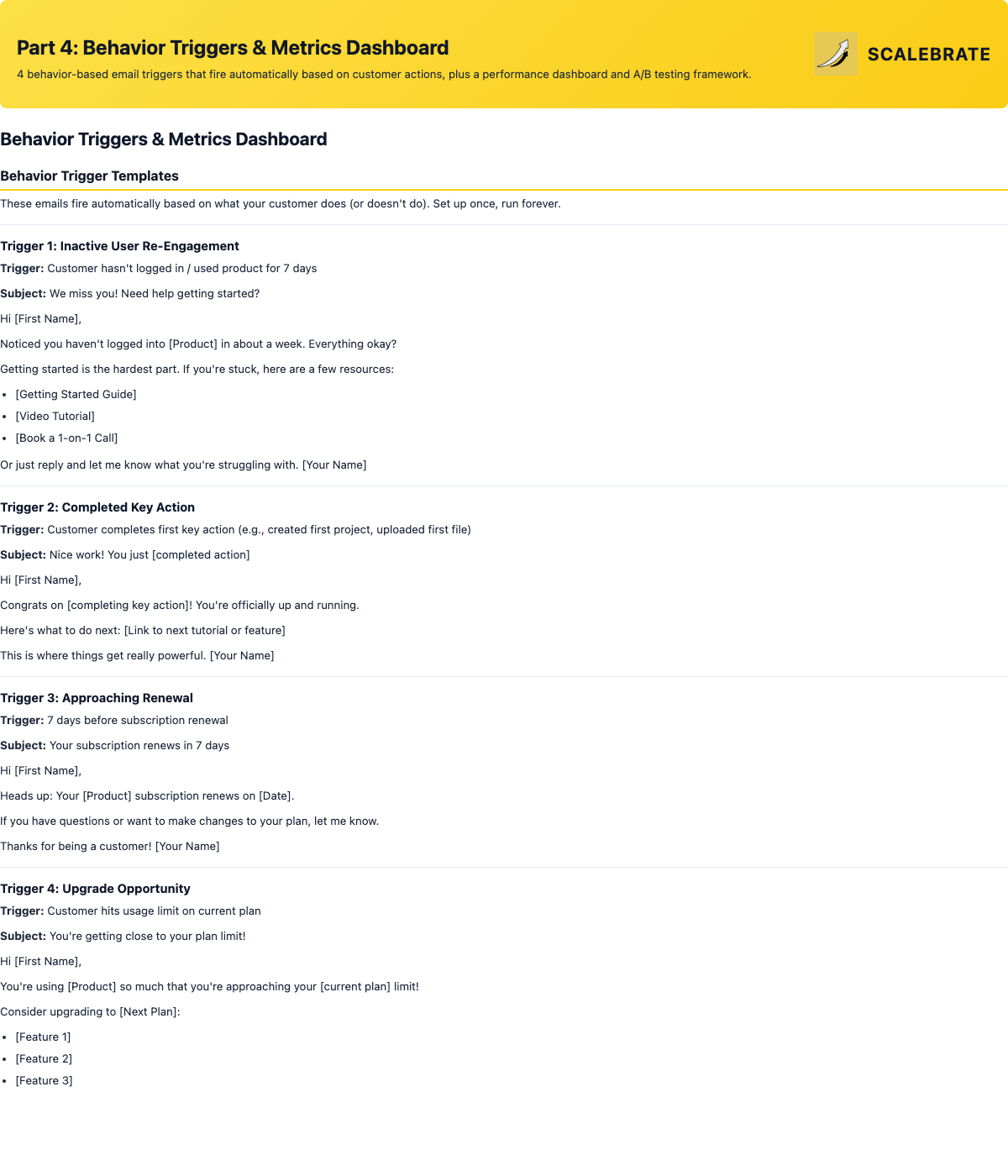
4 trigger email templates, sequence performance dashboard, per-email tracker, and A/B testing framework.
Tip 1: Write From a Real Person — Sign emails from a real person (founder, customer success lead). "Sarah, Founder of [Company]" beats "The [Company] Team" every time. Personal emails feel less automated, even when they are.
Tip 2: Use Plain Text — The most effective post-purchase emails look like they were written by a human, not designed by a marketer. Plain text with 1-2 images max.
Tip 3: Let Customers Reply — Don't use a no-reply address. Use a real email and respond to replies. It creates a feedback loop and customers feel heard.
Tip 4: Segment by Customer Type — Create different sequences for high-value customers (more white-glove), self-serve customers (more automated tutorials), and enterprise (assign a success manager).