
What This Is: A 2-part output tracking system with a daily log, weekly scorecard, role-based categories, monthly review template, and a "No Output" alarm checklist. Designed to replace vanity metrics (hours, meetings) with impact metrics (deals closed, features shipped).
warningWhy You Need This
Most microteam founders are drowning in activity but starving for results. You work 50+ hours, attend endless meetings, answer hundreds of messages — and wonder why revenue is flat and nothing ships. The problem: you're tracking the wrong metrics.
This Output Scoreboard fixes that. It replaces vanity metrics (hours worked, meetings attended, emails sent) with impact metrics (deals closed, features shipped, content published). It's the dashboard that shows you — at a glance — whether you're building a business or just staying busy.
lightbulbHow to Use This Toolkit
- counter_1
Choose Your Categories (Part 1): Pick 5–7 output categories that matter for your role using the role-based starter lists.
- counter_2
Track Daily (Part 1): At the end of each day, log what you produced — not what you did. Aim for at least 1 output per day.
- counter_3
Review Weekly (Part 1): Fill in the Weekly Scorecard every Friday to compare week-over-week and spot trends.
- counter_4
Run the Monthly Review (Part 2): Answer the 6 review questions to identify what to cut, double down on, and target next month.
- counter_5
Use the No Output Alarm (Part 2): On any day you hit 0 outputs, run through the diagnostic checklist to find the blocker.
assignmentPart 1: Daily Output Log, Weekly Scorecard & Role Categories
A daily output log across 5 categories, a week-over-week scorecard with trend tracking, and role-based starter categories for founders, sales, developers, marketers, and operations.
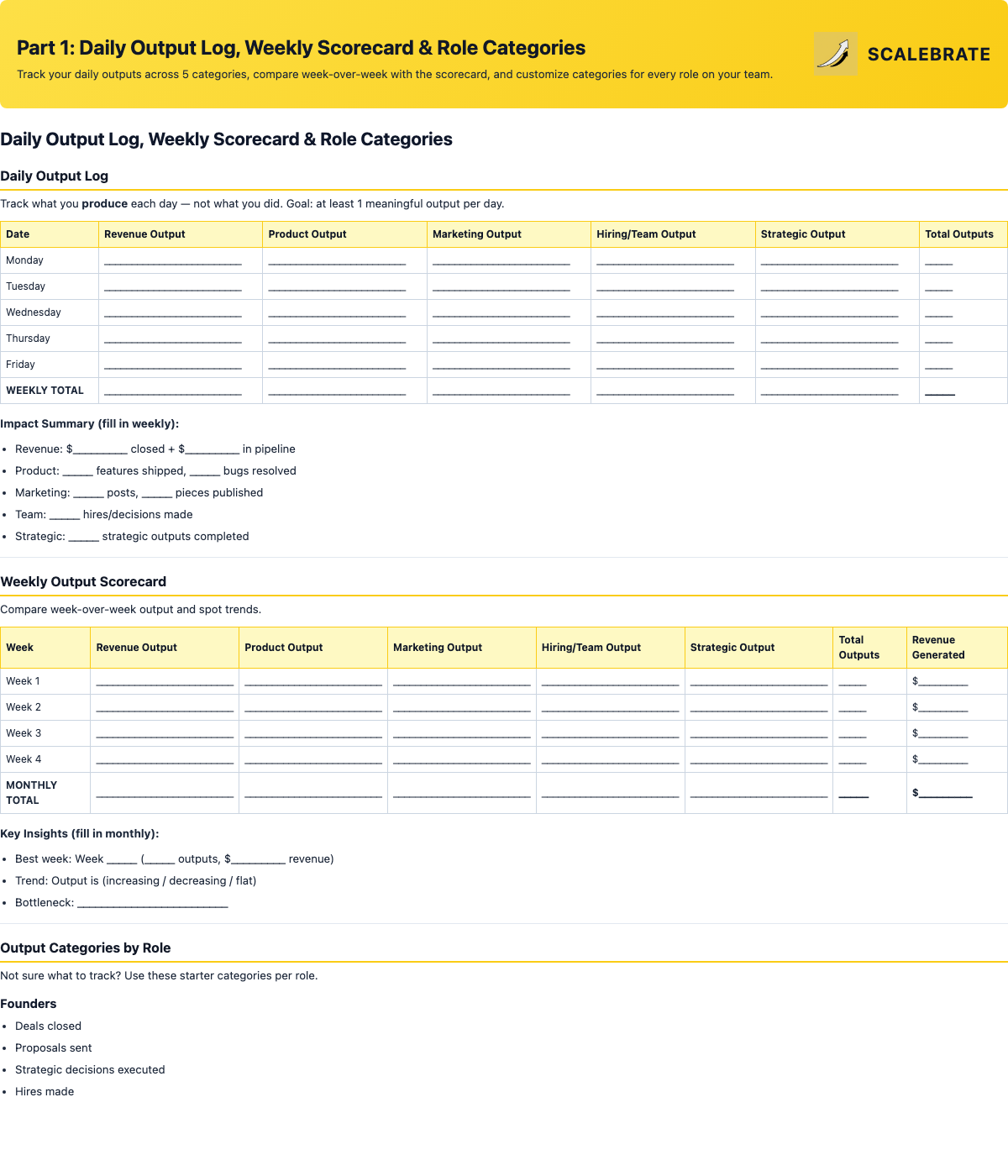
5-category daily log, week-over-week scorecard with impact summary, and role-based output categories.
insightsPart 2: Monthly Review, No Output Alarm & Activity vs. Output View
A 6-question monthly output review to set targets, a diagnostic "No Output" alarm checklist for zero-output days, and a side-by-side activity vs. output comparison with a traffic-light color-code system.
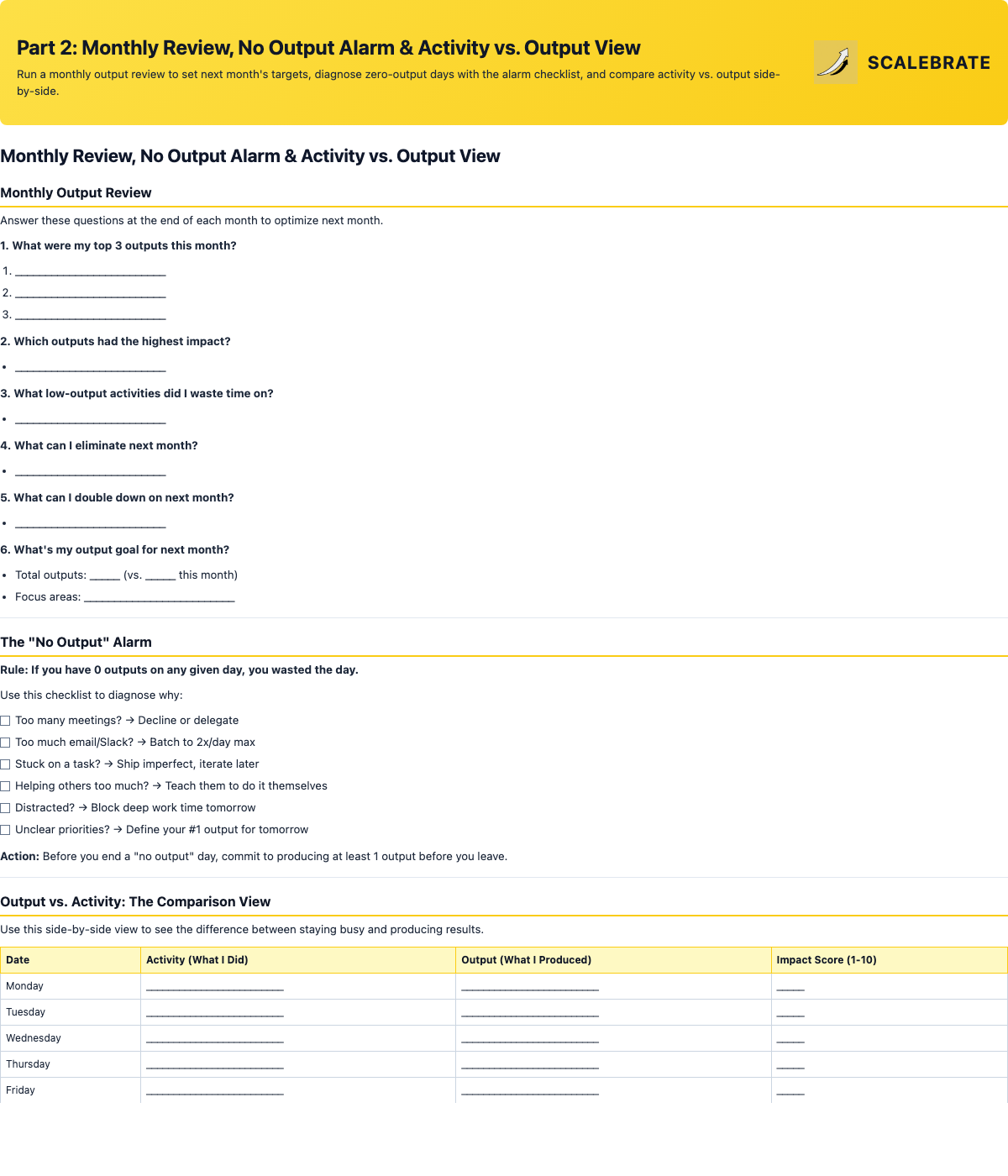
6-question monthly review, diagnostic alarm checklist, activity vs. output comparison, and traffic-light color system.
Tip 1: Make It Visible — Pin it to your Notion homepage, print it on your wall, or display it on a second monitor. What gets measured gets managed. What's visible gets optimized.
Tip 2: Color Code Everything — Green = revenue output, Yellow = brand-building, Red = low-leverage. If you're mostly red, that's your signal to delegate or automate.
Tip 3: The Ship It Friday Rule — Every Friday, produce at least 1 high-impact output before the weekend. It creates momentum that carries into Monday.
Tip 4: Batch by Output Type — Monday for revenue, Tuesday for product, Wednesday for marketing. Context-switching between output types slows you down by 2–3x.