
What This Is: A 3-part system to automate your entire lead scoring pipeline — from ICP definition and scoring model through enrichment, routing, and 30-day optimization — so every hot lead reaches your sales team within minutes.
warningWhy You Need This
Most microteams waste 10–15 hours a week manually reviewing leads, guessing who is a good fit, and updating CRM fields. By the time a rep gets to a hot lead, it has already gone cold.
Lisa's team cut lead admin from 12 hours a week to 2 hours, dropped response time from 8 hours to 15 minutes, and grew their close rate from 22% to 34% — all by automating scoring and routing.
lightbulbHow to Use This System
- counter_1
Week 1 — Define & Build (2–3 hours): Use Part 1 to analyze your best customers, define your ICP, and assign point values to each scoring attribute.
- counter_2
Week 2 — Set Up Enrichment (2–4 hours): Follow the enrichment setup guide in Part 2 for your CRM, then configure your routing rules.
- counter_3
Week 3 — Automate & Test (3–5 hours): Deploy the 5 pre-built workflows from Part 3, test end-to-end, and publish.
- counter_4
Month 2–3 — Optimize (1–2 hours): Run the 30-day optimization framework to adjust point values based on real conversion data.
person_searchPart 1: ICP Definition & Scoring Model
Customer analysis worksheets to identify patterns in your best customers, an ICP definition template, and a two-part scoring model builder (firmographic + behavioral) with default point values you can customize.
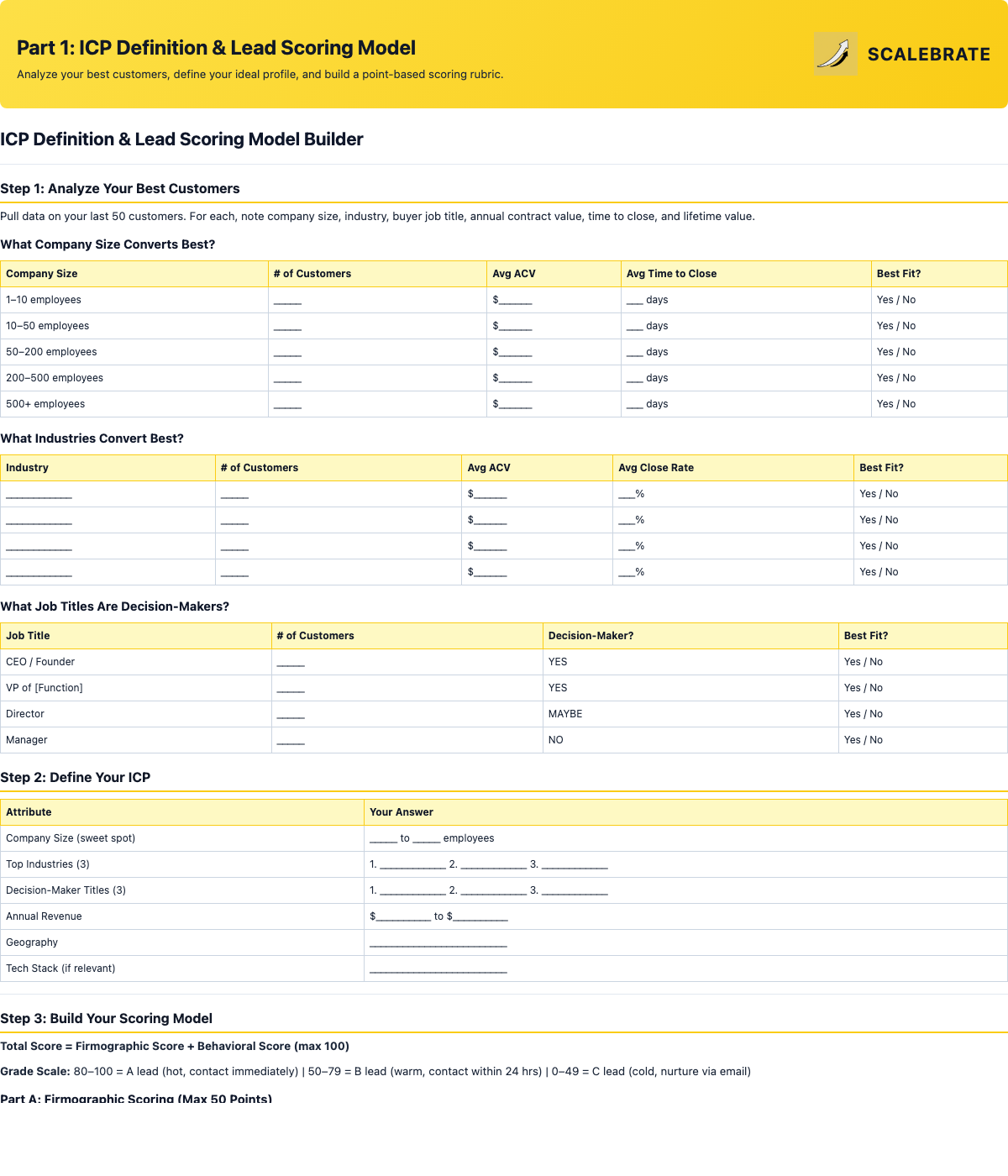
Customer analysis tables, ICP summary, and the full firmographic + behavioral scoring rubric.
hubPart 2: Enrichment Setup & Routing Rules
An enrichment tool comparison, step-by-step setup guides for both HubSpot-native and Zapier-based enrichment, and five routing rule templates covering score-based, territory, industry, round-robin, and hybrid assignment.
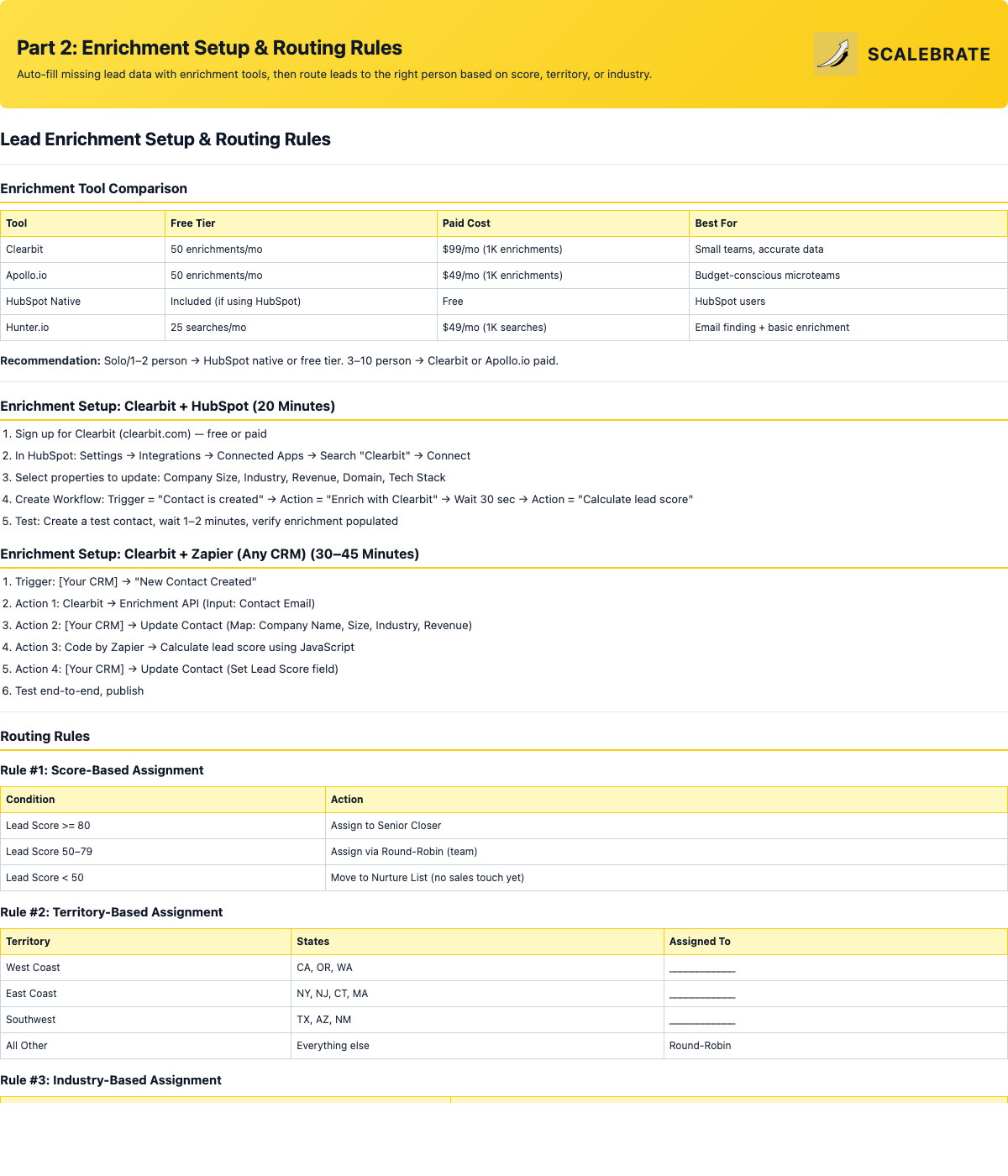
Tool comparison, click-by-click enrichment setup, and 5 routing rule templates with implementation instructions.
insightsPart 3: Workflows, Optimization & ROI
Five pre-built scoring workflows (demo request routing, pricing page alerts, engagement boosts, cold lead decay, and auto intro emails), a 30-day optimization framework, and the ROI calculator that shows time saved plus revenue impact.
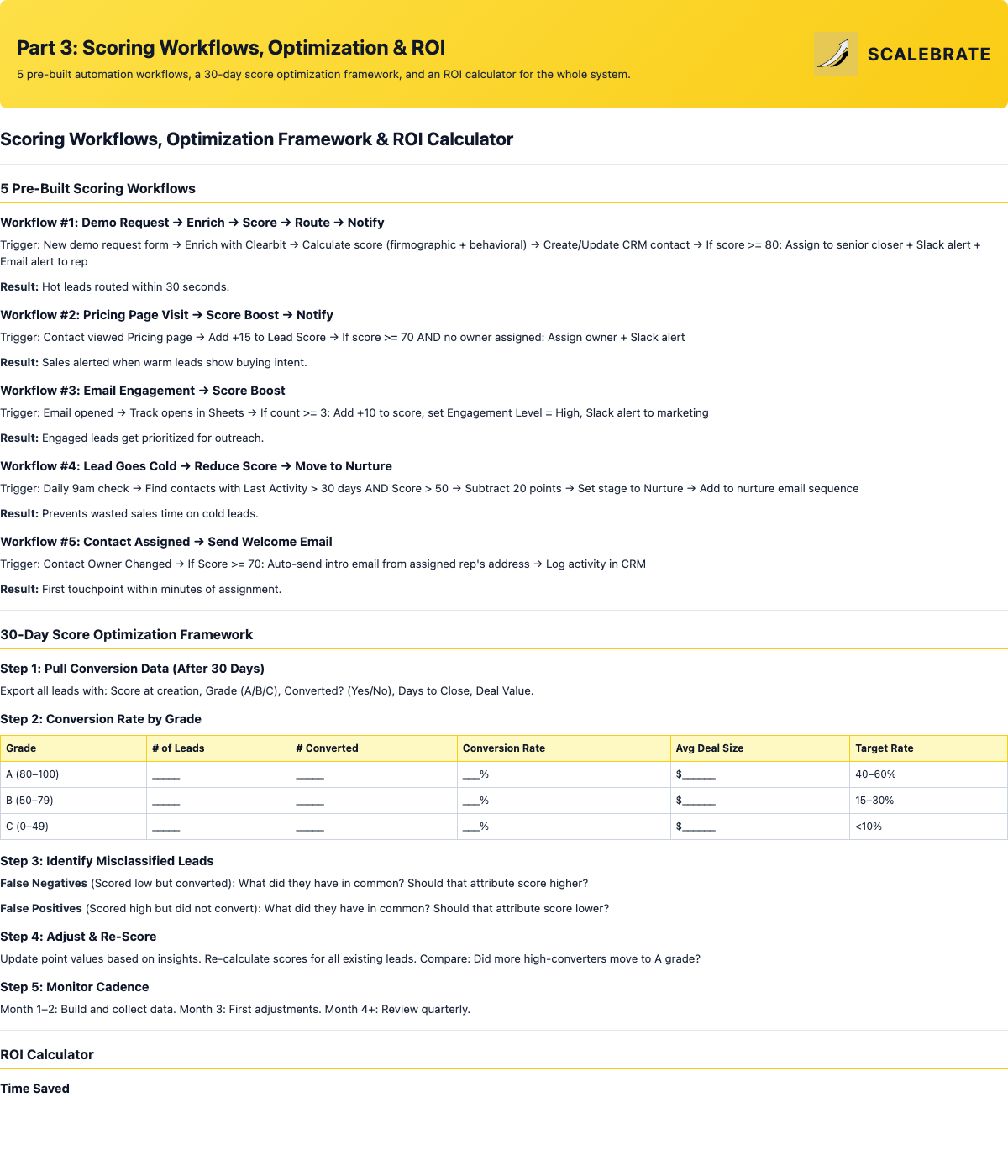
5 workflow blueprints, conversion-rate-by-grade optimization tables, and the full time-saved and revenue-impact ROI model.
Tip 1: Start Simple — Don't build a 50-point model on day one. Start with 3–5 key attributes (company size, job title, requested demo). Refine monthly.
Tip 2: Test with Your Last 20 Leads — Before automating, manually score your last 20 leads using the model. Do A leads look like your best customers? If not, adjust before going live.
Tip 3: Alert Only on A Leads — If every lead triggers a Slack notification, alerts become noise. Only ping the team for Score >= 80.
Tip 4: Build a Manual Override — Sometimes a C-scored lead is perfect (small startup, but the CEO is ready to buy). Let reps manually upgrade scores when they spot these.